War3zuk AIO · 7 Days to Die Hosting
War3zuk modded servers
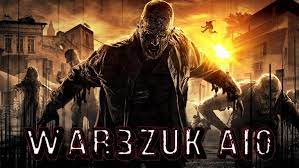
War3zuk AIO v2.8 for 7DTD v2.6 B14 Stable is the current live Nexus build. It overhauls classes, weapons, loot, vehicles, hazards, and POIs with HD assets and much steeper difficulty spikes than vanilla.
Last verified Nexus update: 02 April 2026. We recommend L or XL for War3zuk due to higher CPU/memory demand; FTP on port 2121 is included.
Why host War3zuk with Supercraft
- High-performance nodes keep HD textures, larger hordes, and 8K-12K War3zuk worlds stable.
- FTP (port 2121) plus file manager for exact
Mods/andData/Prefabs/placement - no half-installed overhaul packs. - Backups, console, and crash logs in one panel to troubleshoot mid-wipe (see how).
- Support team already handles War3zuk sync issues, prefab imports, and the usual “unexpected data received” failures.
What changed in the latest verified War3zuk build
- Current version: War3zuk AIO v2.8 for 7DTD v2.6 B14 Stable.
- Vehicle fixes: updated mass/handling fixes for the War3zuk moto, quad, 4x4, buggy, interceptor, and Manux quad.
- New content: Fishing Mini Game, Trader Jen challenge recipe, Giant Viper (WIP), and new POIs including
cabin_09,cabin_18,farm_13, andOld_Church_Mansion_Zeebark. - Systems work: updates to Rain Collector, biome hazards, WUK biome helper chances, and item tags such as legendary parts.
Install War3zuk (manual FTP)
- Download the latest War3zuk AIO build from Nexus or the official War3zuk community links, making sure it matches your Steam build.
- Connect via FTP with the host from Details and port 2121 using FileZilla/WinSCP.
- Upload
Mods/to the server’s mods directory, then uploadData/Prefabs/to/Data/Prefabs/. If the archive includes a map, also upload itsGeneratedWorlds/folder. - Have every player install the same War3zuk version locally to avoid mismatched bundles.
- If you use the optional RAD animal material changes, install the matching
0-SCoredependency too. - Restart the server and verify the console loads War3zuk modlets and prefabs without errors.
Need FTP help? Check the FTP access guide or the User Guide for the correct paths.
Best practices
- Keep client and server builds identical - War3zuk is strict about version drift.
- Upload the entire overhaul structure; partial uploads are the fastest route to “unexpected data received” and missing prefab errors.
- Set
GameWorld/GameNameto your uploaded save to prevent resets. - Plan L is the practical floor; use XL for 10K-12K worlds, dense POI mixes, or larger co-op groups.
Also popular: Darkness Falls servers and FarmLife hosting if you want the broader War3zuk ecosystem rather than AIO only.
Troubleshooting
- “Unexpected data received”: reinstall the exact same War3zuk build everywhere, then restart clients/servers (see Help FAQ #21).
- Missing HD assets or pink textures: re-upload Mods via FTP and clear client cache.
- Prefab errors on boot: you likely uploaded
Mods/but skippedData/Prefabs/. - Upload failures: retry during off-peak or break uploads into smaller batches to avoid timeouts.
What War3zuk adds
- Ten starter classes with unique kits
- HD weapon and zombie models, custom bosses
- Reworked loot, quests, hazards, and vehicle recipes
- Optional “big head” and humor modlets included
Related War3zuk releases
- FarmLife remains actively maintained alongside the main War3zuk ecosystem.
- Fishing Adventure landed in March 2026 and lines up with the new fishing direction in AIO v2.8.
- Launcher-only extras like SCore/XNPCCore updates still matter if you are using the full launcher bundle rather than manual FTP.